
Tech
Are AI Personal Finance Apps Safe? Complete Security and Privacy Guide for 2026







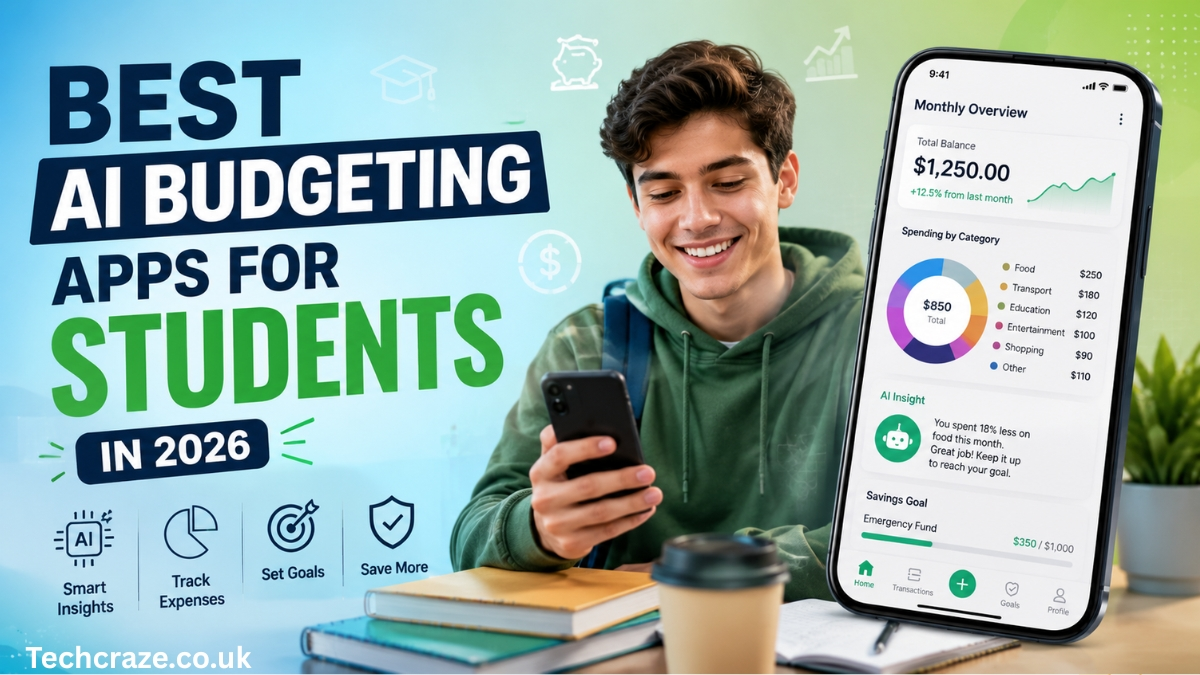
Student life can be exciting, but it also comes with financial challenges. Many students manage limited budgets while balancing tuition fees, books, transportation costs, accommodation expenses, food, entertainment, and daily spending. For some students, it may be the first time they have complete control over their own finances.
Managing money effectively can be difficult, especially when expenses seem small at first. A coffee purchase, a food delivery order, an online subscription, or a few shopping purchases can slowly add up and create financial pressure by the end of the month.
Traditional budgeting methods often require students to manually track spending using notebooks or spreadsheets. While those methods can work, they often become difficult to maintain during busy academic schedules.
Artificial Intelligence is changing the way students manage money. AI budgeting apps provide smart tools that automatically monitor expenses, analyze spending habits, create financial insights, and help students make better financial decisions.
Instead of acting as simple expense trackers, these applications work as personal finance assistants that help students understand where money goes and how to use it more wisely.
If you want to understand the broader role of AI in personal finance, you can also read our complete guide on AI Personal Budgeting Apps.
Why Students Need Budgeting Apps
Students face unique financial challenges compared to working professionals.
Many students deal with:
- Limited monthly income
- Part-time job earnings
- Educational expenses
- Student loans
- Unexpected costs
- Social spending
- Entertainment expenses
Without proper planning, small financial mistakes can quickly create larger problems.
Budgeting apps help students:
- Monitor spending
- Build savings habits
- Avoid overspending
- Reduce financial stress
- Create realistic financial goals
Good financial habits developed during student life can continue providing benefits for many years.
Common Financial Problems Students Face
Irregular Income
Many students work part-time jobs or receive money from parents or scholarships.
This creates income patterns that are often unpredictable.
Some months may provide more money than others.
Budgeting becomes more difficult when income changes regularly.
Impulse Spending
Students frequently spend money without planning.
Examples include:
- Online shopping
- Food delivery apps
- Gaming purchases
- Social events
- Streaming subscriptions
Small expenses may appear harmless but become expensive over time.
Subscription Overload
Students often subscribe to multiple services including:
- Music platforms
- Video streaming services
- Study tools
- Gaming memberships
- Cloud storage services
Many subscriptions continue charging automatically, even when rarely used.
Lack of Financial Experience
Many students are managing their finances independently for the first time.
Without experience, it becomes easy to underestimate spending and make budgeting mistakes.
How AI Budgeting Apps Help Students
Artificial Intelligence provides much more than simple expense tracking.
AI systems study behavior and provide personalized recommendations.
Automatic Expense Tracking
Students no longer need to manually enter every purchase.
AI budgeting apps can connect with:
- Bank accounts
- Debit cards
- Credit cards
- Digital wallets
The app automatically records spending activity.
This saves time and improves accuracy.
Smart Spending Analysis
AI can identify patterns such as:
- Increased weekend spending
- Frequent food delivery purchases
- Entertainment expenses rising monthly
- Unnecessary subscription costs
Students often discover spending habits they did not realize existed.
Personalized Savings Suggestions
Every student has different financial situations.
Artificial intelligence analyzes:
- Income
- Expenses
- Financial behavior
Then it provides customized recommendations.
Examples:
- Save $25 weekly
- Reduce food delivery spending
- Cancel unused subscriptions
Spending Alerts
Many AI budgeting apps send notifications when spending exceeds planned limits.
For example:
“You have used 90% of your entertainment budget this month.”
These alerts help students avoid financial surprises.
Features Students Should Look for in AI Budgeting Apps
Not all budgeting applications provide the same functionality.
Students should focus on features that support simple and effective money management.
Free Plans
Students often work with limited budgets.
Free versions or affordable plans are usually preferred.
Easy User Interface
Complex systems can discourage regular use.
Students should choose apps with:
- Simple dashboards
- Clear reports
- Easy navigation
Goal Tracking
Financial goals help students stay motivated.
Examples include:
- Saving for a laptop
- Building emergency funds
- Paying tuition fees
- Saving for travel
Goal tracking features improve consistency.
Subscription Monitoring
Subscription expenses can quietly consume money.
Apps that identify recurring payments help students stay aware of monthly charges.
Security Protection
Financial information is sensitive.
Students should select apps with:
- Data encryption
- Secure account connections
- Multi-factor authentication
Best AI Budgeting Apps for Students in 2026
Cleo
Cleo combines budgeting with AI chatbot features.
Students can ask questions about spending and receive personalized responses.
Pros:
- Interactive interface
- Spending insights
- Savings tools
- Budget reminders
Cons:
- Some advanced features require payment
PocketGuard
PocketGuard helps users understand how much money remains after expenses and savings goals.
Pros:
- Simple interface
- Spending categorization
- Budget planning
Cons:
- Limited customization
Rocket Money
Rocket Money focuses on tracking spending and managing subscriptions.
Pros:
- Subscription detection
- Expense monitoring
- Budget creation tools
Cons:
- Premium features require upgrades
YNAB (You Need A Budget)
YNAB uses proactive budgeting methods that encourage users to assign every dollar a purpose.
Pros:
- Strong budgeting philosophy
- Financial education resources
- Goal setting
Cons:
- Learning curve for beginners
Monarch Money
Monarch Money combines budgeting and financial planning tools.
Pros:
- Detailed financial insights
- Investment tracking
- Custom planning features
Cons:
- Subscription cost
Free vs Paid AI Budgeting Apps
Students often wonder whether paid budgeting apps are necessary.
Free apps usually provide:
- Expense tracking
- Basic budgeting tools
- Spending categories
Paid versions may include:
- Advanced AI recommendations
- Financial planning
- Investment tracking
- Detailed reports
- Subscription management
For many students, starting with free versions is a practical choice.
Tips for Students to Save More Money
Budgeting apps become more effective when combined with healthy financial habits.
Track Every Expense
Even small purchases matter.
Daily spending patterns often reveal unnecessary costs.
Create Spending Limits
Set limits for:
- Food
- Entertainment
- Shopping
- Transportation
This prevents overspending.
Build an Emergency Fund
Unexpected expenses happen.
Even small weekly savings can create financial security over time.
Review Monthly Reports
AI apps generate useful financial insights.
Students should regularly review spending summaries and recommendations.
Conclusion
Managing money as a student can be difficult, especially when balancing academic responsibilities and personal expenses. Small financial decisions made during student years often create habits that continue into adulthood.
AI budgeting apps provide students with practical tools for tracking spending, improving savings, and making smarter financial decisions.
Rather than waiting until financial problems appear, students can use these tools to build stronger money habits from the beginning.
Developing financial awareness during student life can create long-term benefits and reduce financial stress in the future.
Frequently Asked Questions
Are AI budgeting apps safe for students?
Most reputable apps use encryption and security protections. Students should always review privacy policies before connecting financial accounts.
Are budgeting apps free?
Many budgeting apps offer free versions, although advanced features may require subscriptions.
Can students save money using budgeting apps?
Yes. Budgeting apps help students understand spending habits and identify unnecessary expenses.
Do students need AI budgeting tools?
Students can manage finances without AI tools, but automation and financial insights can make the process easier.

Managing money has never been simple, but modern lifestyles have made it even more complicated. People today use online banking, digital wallets, credit cards, subscriptions, mobile payment systems, and shopping applications almost every day. While technology has made payments faster and more convenient, it has also created a new challenge: keeping track of spending.
Many people start each month with a financial plan and end the month wondering where their money went. Small expenses such as coffee purchases, streaming subscriptions, food delivery services, and online shopping may seem harmless individually, but together they can significantly affect monthly budgets.
Traditional budgeting methods often involve spreadsheets, notebooks, or manual calculations. While these methods still work for some people, they require time, consistency, and discipline. Many users eventually stop tracking expenses because the process feels repetitive and difficult to maintain.
Artificial Intelligence is changing this experience completely. AI personal budgeting apps have become powerful tools that help users manage finances more effectively by analyzing spending behavior, identifying patterns, providing recommendations, and helping users make smarter financial decisions.
Rather than acting as simple expense trackers, these applications function as personal financial assistants that continuously learn and adapt to user behavior.
In this guide, we will explore what AI budgeting apps are, how they work, their benefits, challenges, important features, and why they may become a major part of personal finance management in the future.
What Are AI Personal Budgeting Apps?
AI personal budgeting apps are financial management applications that use artificial intelligence and machine learning technology to monitor, organize, and improve the way people manage money.
Traditional budgeting applications usually focus on recording expenses and displaying spending reports. AI-powered budgeting apps go further by studying user behavior and providing intelligent recommendations.
Instead of simply showing financial information, these apps can answer questions such as:
- Why am I spending more money this month?
- Which subscriptions am I not using?
- How much should I save each month?
- What spending habits are hurting my finances?
- How can I reduce unnecessary expenses?
AI systems analyze large amounts of financial information and transform it into useful advice that users can apply in real life.
This turns financial data into practical actions.
Students can also explore our guide on Best AI Budgeting Apps for Students in 2026.
Why Traditional Budgeting Methods Often Fail
Many people attempt to create budgets using traditional systems but struggle to follow them long-term.
Several common issues make traditional budgeting difficult.
Manual Work Requires Time
One of the biggest challenges is entering information manually.
Users often need to:
- Record purchases
- Organize categories
- Calculate totals
- Update spreadsheets
This process becomes repetitive and time-consuming.
People with busy schedules frequently forget to update financial records, causing incomplete information.
Limited Insights
Traditional budgeting methods typically show what already happened rather than predicting future situations.
For example:
A user might discover they overspent after reaching the end of the month.
At that point, the damage has already been done.
AI systems attempt to identify problems before they become serious financial issues.
Generic Financial Advice
Traditional budgeting methods often apply the same rules to everyone.
Examples include:
- Save 20% of income
- Spend less on entertainment
- Reduce shopping expenses
However, financial situations vary greatly.
Students, freelancers, business owners, families, and retirees all have different needs and spending behaviors.
AI creates personalized suggestions instead of relying on generic financial rules.
How AI Personal Budgeting Apps Work
Artificial intelligence budgeting apps operate using several technologies working together.
The process usually includes multiple steps.
Step 1: Connecting Financial Accounts
Most AI budgeting apps allow users to connect:
- Bank accounts
- Credit cards
- Savings accounts
- Investment accounts
- Digital wallets
The application automatically gathers financial information.
Instead of manually entering expenses, users allow the system to collect transaction data directly.
Step 2: Organizing Expenses Automatically
Artificial intelligence identifies and classifies transactions into categories.
Examples include:
Food and Dining
Restaurant bills, grocery shopping, and delivery services.
Transportation
Fuel expenses, ride-sharing services, and public transportation.
Entertainment
Movies, gaming subscriptions, music services, and streaming platforms.
Shopping
Clothing purchases, electronics, and online orders.
Utilities
Internet bills, electricity costs, and mobile payments.
Automatic categorization saves time and reduces errors.
Step 3: Learning User Spending Patterns
Machine learning systems become smarter over time.
The app studies financial behavior and begins identifying patterns such as:
- Increased weekend spending
- Seasonal shopping habits
- Frequent online purchases
- Rising subscription costs
- Changes in monthly expenses
The longer users continue using the app, the more accurate recommendations become.
Step 4: Generating Smart Recommendations
After analyzing financial behavior, the AI system provides personalized advice.
Examples include:
- Reduce dining expenses by 10%
- Increase savings by $50 monthly
- Cancel unused subscriptions
- Set spending alerts for shopping
These recommendations are customized based on user behavior rather than general financial assumptions.
Major Benefits of AI Personal Budgeting Apps
Better Understanding of Spending Habits
Many individuals underestimate how much money they spend.
Small purchases often go unnoticed.
AI budgeting tools provide detailed reports and visual summaries that reveal spending habits clearly.
Users can see:
- Total monthly spending
- Highest expense categories
- Recurring payments
- Areas of unnecessary spending
This visibility creates stronger financial awareness.
Improved Savings Habits
Saving money can be difficult without a clear strategy.
Some users set unrealistic goals and eventually stop following them.
AI systems can analyze:
- Income
- Monthly expenses
- Financial obligations
Based on this information, realistic savings goals can be created.
For example:
If a user regularly saves $100 each month, the app may suggest increasing savings gradually instead of suddenly recommending impossible targets.
Reduced Financial Stress
Financial uncertainty creates stress for many people.
Questions like these often create anxiety:
- Can I afford this purchase?
- Will I have enough money at the end of the month?
- Am I spending too much?
AI budgeting apps reduce uncertainty by providing continuous updates and insights.
Users gain a clearer understanding of their financial situation.
Time Efficiency
Traditional budgeting methods require ongoing effort.
Artificial intelligence automates many tasks including:
- Recording expenses
- Organizing categories
- Tracking bills
- Generating reports
Users save significant amounts of time.
Improved Financial Decision Making
AI tools provide information that helps users make better decisions.
For example:
A user considering purchasing a new phone may receive information showing current spending patterns and savings progress.
This information helps determine whether the purchase is financially reasonable.
Important Features to Look for in AI Budgeting Apps
Not all budgeting apps provide the same functionality.
When selecting an AI budgeting application, users should evaluate important features carefully.
Expense Tracking
The app should automatically monitor spending activity without requiring manual updates.
Spending Alerts
Users should receive notifications when spending exceeds budget limits.
These alerts help prevent overspending.
Bill Reminders
Missing payment deadlines can result in additional fees.
Automatic reminders improve financial organization.
Financial Goal Tracking
Good budgeting applications allow users to create goals such as:
- Saving for travel
- Building emergency funds
- Paying debt
- Purchasing a home
Progress tracking helps maintain motivation.
Security Features
Financial information is highly sensitive.
Users should prioritize applications that provide:
- Data encryption
- Multi-factor authentication
- Secure banking connections
- Privacy controls
Security should never be ignored.
Popular AI Budgeting Apps in 2026
Several applications currently use artificial intelligence to improve financial management.
Rocket Money
Rocket Money helps users track expenses, monitor subscriptions, and manage budgets.
Cleo
Cleo uses artificial intelligence to provide financial insights through a chatbot-style interface.
YNAB (You Need A Budget)
YNAB focuses on proactive budgeting strategies and spending awareness.
Monarch Money
Monarch Money combines budgeting features with financial planning tools.
PocketGuard
PocketGuard helps users identify available spending money after accounting for bills and savings goals.
Challenges and Limitations of AI Budgeting Apps
Although AI budgeting tools provide many advantages, they also have limitations.
Privacy Concerns
Many applications require access to banking information.
Some users feel uncomfortable sharing financial data with third-party services.
Before connecting accounts, users should review privacy policies carefully.
Subscription Costs
Many advanced AI budgeting features require paid subscriptions.
Free versions sometimes offer limited functionality.
Users should compare costs and benefits.
Prediction Limitations
Artificial intelligence learns from historical data.
Unexpected events can reduce prediction accuracy.
Examples include:
- Job loss
- Medical emergencies
- Economic changes
- Sudden lifestyle shifts
Human judgment still remains important.
Future of AI Personal Budgeting Apps
Artificial intelligence continues evolving rapidly.
Future budgeting systems may include advanced capabilities such as:
Voice Financial Assistants
Users may eventually ask:
“How much can I spend this weekend?”
The system could instantly analyze finances and provide recommendations.
Real-Time Financial Advice
Instead of receiving suggestions after spending occurs, users may receive immediate guidance before making purchases.
Advanced Fraud Detection
AI systems may identify suspicious activity faster and provide instant alerts.
Personalized Wealth Building
Future applications could provide customized investment strategies and long-term financial planning.
Conclusion
Artificial intelligence is changing personal finance management in ways that were difficult to imagine a few years ago.
AI personal budgeting apps do much more than track expenses. They analyze behavior, identify patterns, provide recommendations, encourage savings, and help users make smarter financial choices.
While these applications cannot completely replace human judgment, they can become valuable financial assistants that simplify money management.
As financial technology continues improving, AI budgeting tools are likely to become an essential part of everyday life.
People who understand and adopt these technologies early may gain stronger financial awareness and better control over their future finances.
FAQs
Are AI budgeting apps safe?
Most reputable apps use encryption and security protections, but users should always review privacy policies and security settings.
Are AI budgeting apps free?
Many apps offer free versions, although advanced features often require subscriptions.
Can AI budgeting apps improve savings?
Yes. By identifying spending patterns and unnecessary expenses, these apps often help users save money more effectively.

-

 Australia3 weeks ago
Hospital Cleaners In Required Australia: Growing Career Opportunities
-

 Guides9 months ago
NippyDrive: Fast & Secure Cloud Storage Platform
-
 News1 year ago
Federal legal team successfully supports U.S. Forest Service initiatives improving forest health and fire resilience across Western states
-
 Crypto1 year ago
Crypto30x.com Gemini: A Deep Dive into the Future of Crypto
-

 Entertainment8 months ago
Mkvmoviespoint: Latest Movies & Web Series Guide
-
 Crypto1 year ago
CrypticStreet.com Guides: Your Ultimate Resource Hub
-
 News1 year ago
Cristian Romero Opens Door to Tottenham Exit as Atletico Madrid Eyes £43 Million Move for Argentina Star
-
 Blog1 year ago
FeedbackMagazines.org/: A Hub for Engaging Content